


Emily from Austin started dating a guy whose entire family is from Minsk. His grandmother only speaks Russian on video calls. Emily wants to at least say hello, ask how he's doing, and understand when she's being scolded and when she's being praised. She opens the App Store and types «learn russian.» She gets fourteen pages of apps with green owls, flags, and promises of «learn Russian in thirty days.» After five minutes, she closes the store. Which one should she download?.
Meanwhile, nine-year-old Mia's mother in San Jose is tired of trying to pull Russian words out of her child with pliers every evening. They speak Russian at home, but Mia replies in English, doesn't want to read Cyrillic, and considers Russian «Mom's language.» The mother Google searches for «best app to learn Russian for kids.» She sees ten Top-10 lists. Each list features different apps, in a different order, with different pros. Nowhere does it say which one actually works with her child.
This article is for both situations. We'll tell you which Russian learning apps actually work in 2026, what their differences are, and how to assemble a working set of them for a specific task. If you're an adult wondering which best app to learn Russian is right for you, or a parent of a bilingual child looking for a Russian language app or learn Russian app for home practice, this material should help you save time and money.
First, one important clarification. No single app will make you a Russian speaker on its own. This is not an advertisement. This is simply what both teachers and app developers themselves confirm in rare moments of honesty. The best result always comes from a combination: one app for grammar, a second for vocabulary, a third for listening, plus real-life speaking practice. Therefore, below is not a single winner, but a map of tools for different tasks.
Where to even begin the selection
Before comparing specific apps, figure out what you actually need. This will save you hours of scrolling through reviews.
If you're just starting out and want to see if you like the language itself, look for a free app with short daily lessons. In two weeks, you'll know if it's for you or not. You don't need to make any serious investments yet.
If you already have the basics and want to quickly improve your speaking, you need apps that focus on listening and speaking. Possibly, plus a live conversation partner or teacher.
If you are the parent of a bilingual child, you have a unique task. Most mass-market apps are designed for adult English speakers starting from scratch. For a bilingual child who already speaks by ear, such apps will be either boring or useless. Here, you'll need either specialized children's products or school platforms with real teachers.
If you want to train a specific skill (reading only, vocabulary only, listening comprehension only), there are highly specialized tools that do it better than universal all-rounders.
Budget is also a factor. Free options cover levels A1–A2. Beyond that, almost all require a paid subscription, costing 1–4–5 to 30 per month. Top-tier comprehensive courses like Pimsleur or Rosetta Stone are more expensive, costing 1–4–150 to 300 per year.
Large station wagons for a DIY start

These apps cover many skills at once and are suitable for learning a language from scratch. Each has its own character.
Duolingo. Mascot is a green owl, five-minute lessons, penalties for missed sessions. A free app that everyone knows. Duolingo has a Russian course for English speakers, and it's not bad for the very beginning: the alphabet in a week or two, basic vocabulary, simple phrases. Its main strength is the game format and low barrier to entry. Its main weakness is that Duolingo doesn't teach you to speak in real life. The learner puts together phrases from pre-made words, answers multiple-choice questions, and works through grammar as a puzzle. After three to four months, most people hit a ceiling: the formal course is over, and no real conversational skill has emerged.
In April 2026, Duolingo announced an expansion: there is now free advanced content at the B2 level. But there's an important caveat, this only applies to nine languages, and Russian is not among them. So for Russian, Duolingo is still limited to the A2 level at best. The free version with the energy system works, but it annoyingly pushes you towards a Super Duolingo subscription for $95 a year.
Babbel. The same Emily from the opening also opened Babbel and found herself in a more serious course than Duolingo. Babbel was developed by linguists, the lessons are structured, grammar is explained clearly, with an emphasis on everyday situations. The subscription is around $7-15 per month depending on the duration. According to reviews from April 2026, Babbel is called one of the most balanced options for English speakers beginning Russian. Babbel's minus is that it doesn't provide enough speaking practice. When you've gone through a dialogue in the app, nothing replaces a live conversation partner who doesn't automatically press the «correct» button.
Pimsleur. This system is several decades old and is built differently from everything else. No flashcards on the screen, only thirty-minute audio lessons. The narrator's voice gives phrases, the student repeats them aloud, and the phrases return at specific intervals. The method works well for the ears and tongue: by the end of the course, you can speak with a real accent and intonation. The downside is that Pimsleur teaches almost no reading. A student who has completed the entire Pimsleur course can speak on simple topics, but opens a Russian text and gets lost. The subscription is about $20 a month.
Rosetta Stone. Immersion method: only Russian, only pictures, no English translations. The idea is for you to learn the language like a child learns their first, through associations with images. The approach is controversial for Russian. Without English explanations, cases and verb aspects turn into a mystery, and many learners abandon the course by the third month. However, for pronunciation, Rosetta Stone is one of the best, with its TruAccent technology. The cost is around $11-15 per month with an annual subscription, and there's a lifetime plan for about $300.
Rocket Russian. Less hyped, but often called the most balanced among reviews. Combines audio lessons, grammar, conversation scenarios, and a spaced repetition system. Suitable for those who want one comprehensive course and don't like jumping between apps. Minus: expensive, around $150 for the beginner level, with no monthly subscription.
- Free Russian course for English speakers
- Gamified format, easy to develop a daily habit
- Good for alphabet and basic vocabulary
- The Russian course is limited to the A2 level
- It doesn't really teach you to speak and understand by listening.
- The energy system limits free users.
- A structured course from linguists
- Clear grammar explanations
- Focus on everyday situations
- Little real speaking practice
- Does not cover B2 levels and above
- Internet is needed for most functions.
- The best audio method on the market
- Strong pronunciation and intonation
- You can listen to it on the go, at the gym
- Barely teaches how to read Cyrillic
- Expensive compared to others
- Boring format without visuals
- Full immersion method
- Excellent TruAccent pronunciation recognition technology
- There is a lifetime plan
- Without explanations, cases and aspects are incomprehensible in English.
- Many students drop out in the third month
- High price for lifetime access
- The most effective tool for vocabulary
- Ready-made decks of thousands of words
- Fully customizable
- Tech-friendly, others get confused
- It does not explain grammar and context.
- The iPhone version costs about $25.
Narrow tools for specific tasks
A general course is good, but it doesn't cover everything. Many students have one area that deteriorates fastest: vocabulary, listening, or reading. There's a tool for every weakness.
Anki. A year after moving to the US, Mikhail from Chicago decided to pick up Russian again, which he had partially lost. The main problem was forgotten words. A friend recommended Anki, and Mikhail spent a day setting it up and downloaded a pre-made deck of a thousand words. Anki is a free application based on spaced repetition. The algorithm itself decides which word to show today and which to postpone until next week. For vocabulary, it's the most effective tool out there. The downside is that the interface isn't the most user-friendly, and you need to spend time figuring it out. And Anki itself doesn't explain anything; it's just flashcards.
Drops. Similar to Anki, but with a beautiful interface. Visual flashcards with icons, minimalist design, a five-minute daily limit in the free version. Perfect for those who want to sprinkle in a little Russian during breaks between tasks but aren't ready to dive in for long periods. Good for learning vocabulary within specific topics like food, travel, and basic verbs.
Memrise. The main feature is short videos of real native speakers saying natural phrases in everyday settings. This is very different from the studio voices in most apps. Memrise trains your ear to different accents and speech speeds. The free version is limited, and the full version costs about $9 per month.
If you want to practice listening comprehension and don't mind the podcast format, RussianPod101 is one of the best resources. Several hundred audio lessons with real native speakers and English translations. The price ranges from $4 to $25 per month, with a free trial period available.
LingQ. A reading program. You load any Russian text into it, and it helps you read it by translating words with one click. It gradually builds your vocabulary and introduces progressively more complex texts. It is well-suited for those who have already mastered the alphabet and the basics and want to grow by reading books and articles.
Clozemaster. If you're already at a B1 level and find Duolingo too easy, try Clozemaster. It has thousands of real-life sentences from spoken language, with one word removed from each, which you need to fill in. It's great for intuitively training your sense of context and grammar.
Live teacher platforms
No app can replace a person who listens to you, corrects your pronunciation, and chooses topics based on your interests. If your budget allows, at least one lesson per week with a real teacher will double your progress speed.
iTalki. The most famous platform for finding a Russian teacher. Prices here vary widely, depending on the teacher's experience and country of residence. They range from about $8 per hour for beginners to around $40 for top teachers with many years of experience. iTalki has a division between «teachers» with diplomas and certificates and «community tutors,» who are simply native speakers willing to chat for a lower price. The main convenience of the service is that the choice is always yours: you can watch a short video where the teacher talks about themselves, read student reviews, and book a trial lesson. For an adult who knows their goals precisely, this model works almost perfectly.
Preply. Similar to iTalki, a competitor. Sometimes cheaper, sometimes more expensive, depending on the region and the teacher. The platform matches candidates to your request.
Tandem. Free language exchange app. You communicate with a native Russian speaker who wants to learn English. You help them, they help you. Good for level B1 and above, where you can already hold a conversation.
What to choose for a bilingual child
Daniil from Toronto is twelve years old. He listens to his parents in Russian, but he himself speaks with an accent and writes with mistakes. His mother bought him a Duolingo subscription, but after a week Daniil quit, stating that «everything there is too easy and boring.» This is a typical story. Most mass applications are designed for adult English speakers from scratch. Bilinguals in them either die of boredom with simple vocabulary or get lost in grammar because, in their lives, grammar works by ear, and declension tables look like gibberish.
What really works with bilingual children:
Specialized products of online schools. In Palme School has its own Russian language simulator. for children aged 4 to 18. Inside, there are short sessions, audio and video assignments, interactive flashcards, and a game system with points and quizzes. The spaced repetition principle adapts assignments to the child's level and pace. The simulator complements main lessons and works at any convenient time. Subscriptions start at $29 per month, with the annual version having a lower price.
YouTube channels for children. «Masha and the Bear,» «Kikoriki,» and «The Fixies» are officially available on YouTube with and without subtitles. This is not educational material, but the more a child hears spoken Russian in context, the deeper the language is absorbed. It cannot replace comprehensive learning, but it is indispensable as a support.
Reading through apps like Epic (Epic, Reading Buddy, and similar). Electronic libraries that hold hundreds of children's books in Russian with narration. This is especially valuable for a child who is still struggling with reading. You turn on a book, the lines glide across the screen, a narrator's voice reads them aloud, and the child simultaneously sees how the word is spelled and hears how it is pronounced. The dual sensory channel locks in the material more firmly than just reading with the eyes or just listening.
Games in Russian. Favorite mobile games can often be switched to a Russian interface. When the gameplay requires reading instructions in Russian, the child learns not «because mom said so,» but because they want to pass the level.
How to assemble your set

Different app reviews name different «winners», but almost all experts agree on one thing: the best approach is a combination. The universal advice is this.
For an adult starting from scratch: one anchor app for general structure (Babbel or Pimsleur), Anki for vocabulary, RussianPod101 for listening, and one hour per week with a tutor on iTalki as soon as you reach A2 level. The cost for this package is around $30-50 per month. After a year of daily practice for 30-45 minutes, you will be at a confident A2-B1 level.
For a bilingual teenager who doesn't want to study: a specialized trainer (like Palme), plus something entertaining in Russian (cartoons, games, songs). Don't try to force them to complete Duolingo from start to finish; they'll likely quit.
For younger bilingual children (4-9 years old): live classes at school, a self-study practice tool, reading children's books, and watching cartoons in Russian. Adult apps will not be suitable.
For a busy professional who wants to master Russian in eighteen months: Pimsleur on the way to work or the gym (audio only), Anki for 15 minutes a day, plus two hours a week with a tutor. Minimal visual apps, maximum speaking practice.
| appendix | Grammar | Lexicon | Pronunciation | Reading | Price | Result |
|---|---|---|---|---|---|---|
| Babbelbalance | ★★★★★ | ★★★★★ | ★★★★★ | ★★★★★ | $$ | ★★★★★ |
| Pimsleuraudio | ★★★★★ | ★★★★★ | ★★★★★ | ★★★★★ | $$$ | ★★★★★ |
| Rocket Russian | ★★★★★ | ★★★★★ | ★★★★★ | ★★★★★ | $$$$ | ★★★★★ |
| DuolingoStart | ★★★★★ | ★★★★★ | ★★★★★ | ★★★★★ | Free / $ | ★★★★★ |
| Ankivocabulary | ★★★★★ | ★★★★★ | ★★★★★ | ★★★★★ | Free | ★★★★★ |
| RussianPod101 | ★★★★★ | ★★★★★ | ★★★★★ | ★★★★★ | $-$$ | ★★★★★ |
| Memrise | ★★★★★ | ★★★★★ | ★★★★★ | ★★★★★ | $ | ★★★★★ |
| Rosetta Stone | ★★★★★ | ★★★★★ | ★★★★★ | ★★★★★ | $$$ | ★★★★★ |
| Drops | ★★★★★ | ★★★★★ | ★★★★★ | ★★★★★ | Free / $ | ★★★★★ |
| LingQ | ★★★★★ | ★★★★★ | ★★★★★ | ★★★★★ | $$ | ★★★★★ |
Prices: $ = up to $10 per month; $$ = $10–15; $$$ = $15–25; $$$$ = annual payment over $100. Ratings are compiled based on reviews from guide2fluency, testprepinsight, alllanguageresources, and mezzoguild, April 2026.
What's the difference in learning at Palme School?
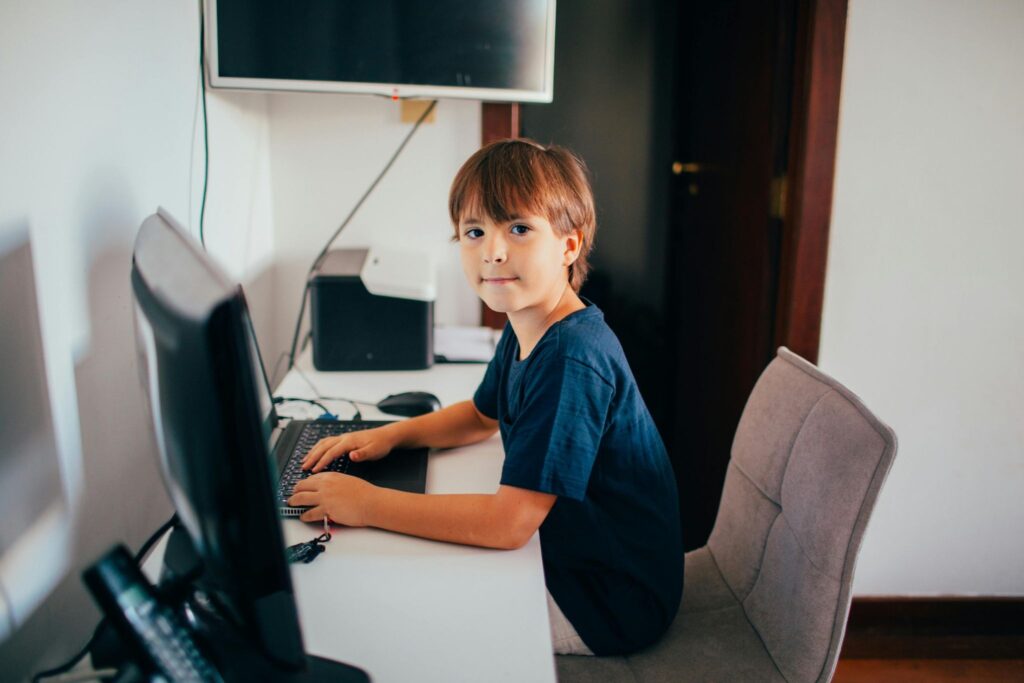
Palme School educates children from ages 4 to 17. The majority of our students are bilingual from the USA and Canada, plus families who have recently moved from Russian-speaking countries and wish to maintain the language in their homes.
The main difference from apps is that we have a live teacher. Any app, no matter how smart or expensive, doesn't see the specific child. It doesn't see that Danya is tired today, that Sonya is afraid to speak out loud in front of Grandma, or that Lesha is currently writing «daddy» instead of «daddy.» The teacher sees this and adjusts the lesson to the child.
Besides group lessons Twice a week, we have our own in-home practice trainer. It's designed for bilingual children, with short sessions, games, and spaced repetition. The trainer doesn't replace a teacher, but it keeps Russian active between lessons.
The program is cyclical. This means you can join at any point during the academic year. The child is placed in a group at their level, and the teacher integrates them into the current class topic. If a child's level is between groups, we offer Private lesson for pull-ups.
The teachers at Palme are native Russian speakers with pedagogical education and over five years of experience working with bilingual children. They know which areas typically present challenges for a specific child and address these areas directly.
To allow a parent and child to see how everything works, the first two lessons are free. During these lessons, the teacher assesses the child's level, explains the program, and answers questions. You can sign up using the form on the website.
What is the best Russian learning app in 2026?
There is no definitive winner here, and any review that promises you one answer is being disingenuous. It all comes down to the task. If you want to try the Russian language and see if it's for you, download the free Duolingo and go through the alphabet in two weeks. Need solid grammar with explanations? Babbel will be the best choice.
The main thing is to be able to speak and hear spoken language? Pimsleur. Want to quickly build up your vocabulary? Get Anki and a thousand-word deck. Real results are always achieved not by one program, but by a set of two or three tools plus at least an hour of live conversation per week.
Is it possible to learn Russian only through an app?
Theoretically, reaching A2-B1 is realistic, especially with daily practice. But beyond that, problems start to arise. Any app works according to a pre-programmed script: it knows what you're supposed to answer and presses the «correct» button when you do. Real Russian doesn't work like that.
The speaker doesn't warn when they're about to ask a question. They interrupt, speak with an accent, and use slang. Without a live conversation partner or teacher, it's practically impossible to move beyond a B1 level, let alone reach B2. The grammar and vocabulary embedded in the app remain passive knowledge, not turning into a speaking habit.
How much do Russian learning apps cost?
The financial aspect is addressed on several levels. The introductory level is free: this is where Duolingo sits with its alphabet and basic vocabulary, Anki with open decks, Drops for five minutes a day, and free YouTube channels for listening practice. This will be enough to get a taste of the language and complete the first 50 hours of learning.
The mid-tier consists of paid subscriptions, typically ranging from $5 to $25 per month depending on the plan and app. The high-tier includes serious comprehensive courses like Pimsleur and Rosetta Stone, costing $150-$300 per year. And a separate expense is lessons with a tutor on iTalki or Preply, where an hour costs $8 to $40.
What's the best app for a bilingual child?
Most mass-market applications (Duolingo, Babbel, Rosetta Stone) are designed for adults starting from scratch. They are either boring or incomprehensible for a bilingual child.
For bilingual children, specialized products from online schools—such as the Palme School language trainer—work best. Cartoons and games in Russian, as well as reading children’s books through apps like Epic, are also helpful.
Do apps replace lessons with a teacher?
They don't replace, but they complement well. The main difference is this: A teacher sees you specifically. They notice that you've been stuck on the dative case for two weeks and create an exercise specifically for that weakness. They hear that you pronounce «y» like «i» and spend ten minutes just on that sound.
The app works differently: it guides all students along the same path, without distinguishing where each one struggles. Therefore, the ideal combination is daily practice in the app plus one to two hours a week with a live tutor who works specifically on your weak spots.
Yes, Russian can be taught to children aged 4-7 through apps.
At that age, applications don't work well as the primary tool. A young child needs a live teacher, emotional connection, and lesson rituals.
Apps are suitable as a supplement: short gaming sessions, cartoons, simple flashcards. Children under seven years old are usually not ready for independent activities longer than ten to fifteen minutes.
What's the best app for learning the alphabet?
Any of those will work, but Anki and Drops give the fastest results. Anki has a ready-made «Russian alphabet» deck you can download and get through all 33 letters in a week. Drops is visually more appealing.
Duolingo also has the alphabet built into the first module, and it's free.
Is it worth paying for Duolingo Super?
It depends on how often you use the app. The free version in 2026 is limited by an energy system: after a few errors, the app makes you wait or watch ads.
If you study every day and these limitations get in your way, Super Duolingo for $95 per year removes ads and restrictions. If you study a few times a week, the free version will likely be sufficient. Important: Duolingo's advanced B2 content, launched in April 2026, is not available for the Russian language.
What to do if a child doesn't want to use an app?
This is a sign that the app isn't suitable for him. Forcing it is useless; the child will associate the language with coercion. Try changing the format: instead of an educational app, try cartoons, games, or chatting with a Russian-speaking grandmother on a messenger.
Or replace the app with live lessons with an educator who knows how to work with children. Sometimes an app works in principle, it just didn't work out with this specific one; it makes sense to try two or three before drawing a conclusion.